
AI-POWERED MULTICAM EDITING FOR WEDDINGS & EVENTS

HOOTIO VIDEOBOT

Let AI handle most of your long-form multicam edit.

Turn raw wedding and event footage into a synchronised, structured and AI-edited timeline—ready for you to refine in Premiere Pro or DaVinci Resolve.

No subscription required during the free beta.

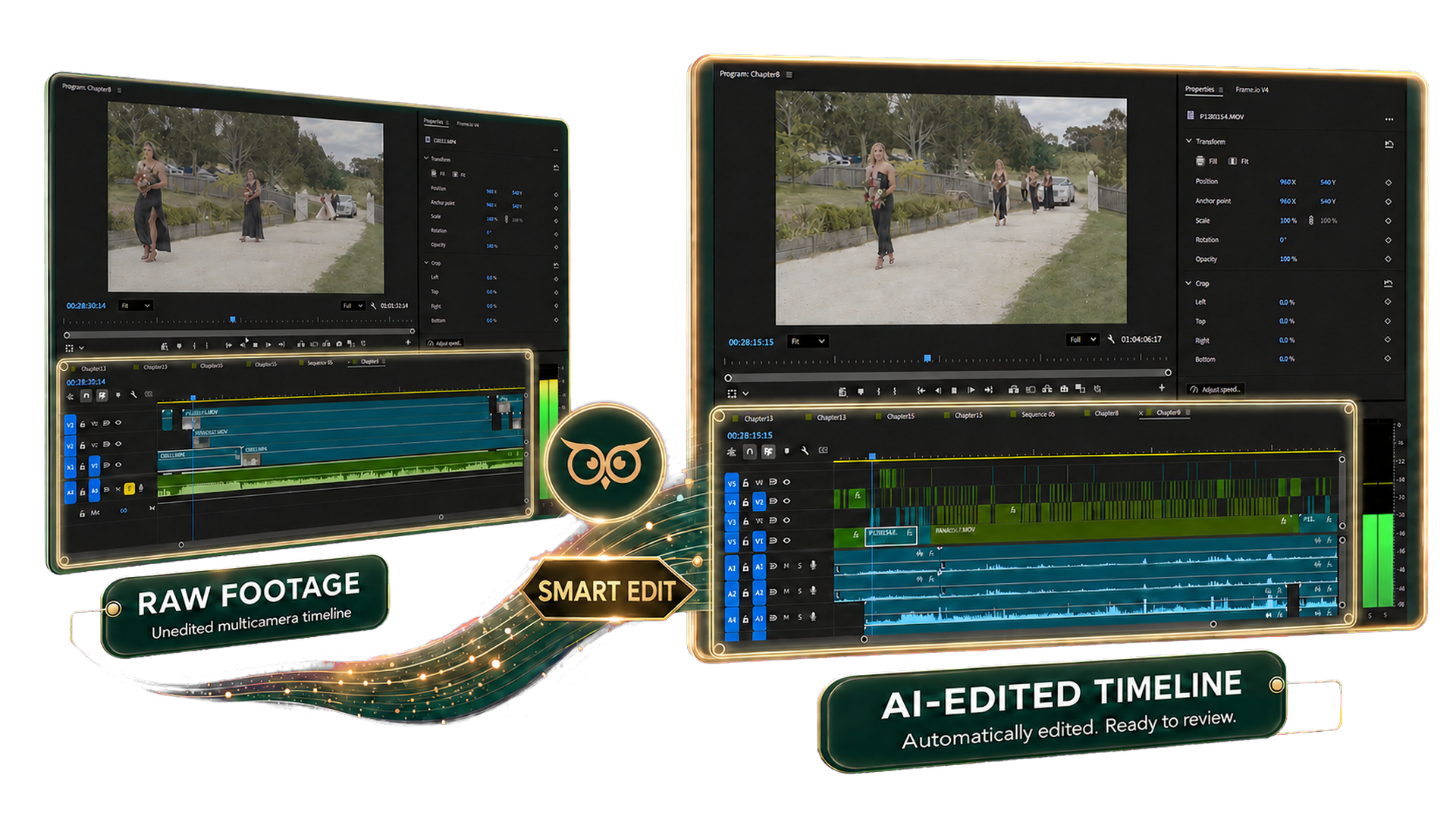
Raw footage transformed into an AI-edited multicamera timeline

SEE THE REAL WORKFLOW

See what VideoBot can do before you install it.

Watch a real multicamera wedding project move from raw footage to a synchronised, structured and largely edited long-form timeline.

TWO WORKFLOWS · ONE FASTER EDIT

Save time on documentary films and find meaningful moments faster.

DOCUMENTARY WEDDING & EVENT FILMS

Begin with most of the multicam first pass already done.

VideoBot synchronises every camera and audio source, divides the day into chapters and automatically selects and switches cameras for the chapter you choose.

Review an already edited chapter instead of starting with an empty timeline.
HIGHLIGHT FILMS

Find the words that matter without listening to hours of audio.

Review vows, speeches and other spoken audio as transcripts. Select a passage, and VideoBot extracts the matching section from every synchronised camera and available audio source.

Bring the resulting multicam sequence directly into your highlight workflow.

HOW VIDEOBOT WORKS

From a full-day project to a largely edited timeline.

  1. 01

    Select the project folder

    Keep media from each camera and audio recorder in its own subfolder, then choose the parent folder. Local, external, NAS and shared network drives are supported.

  2. 02

    Pre-process the media

    VideoBot reads and analyses the footage, synchronises devices and divides the project into time-based chapters.

  3. 03

    Start as chapters become ready

    Smart Edit and Smart Scene become available chapter by chapter while the rest of the project continues processing.

  4. 04

    Build the documentary edit

    Choose a chapter and let Smart Edit select and switch cameras for the first pass.

  5. 05

    Find moments through transcripts

    Review spoken-word transcripts and turn selected passages into synchronised multicam sequences.

  6. 06

    Export and continue

    Move the FCPXML timeline into Premiere Pro or DaVinci Resolve for story, pacing, music, sound and colour.

BUILT FOR REAL MULTICAMERA WORKFLOWS

The repetitive work handled. The creative decisions left to you.

Smart Sync

Synchronise multiple cameras and external audio across the entire project.

Smart Chapter

Divide a full-day shoot into practical chapters based on time ranges.

Smart Edit

Choose a chapter and build an AI-assisted first-pass edit with automatic camera switching.

Smart Scene

Review transcripts and turn selected spoken passages into synchronised multicam sequences.

Smart Clean

Identify and remove shaky or unusable footage before it reaches the first pass.

FCPXML Export

Continue the edit in Adobe Premiere Pro or DaVinci Resolve with your creative controls intact.

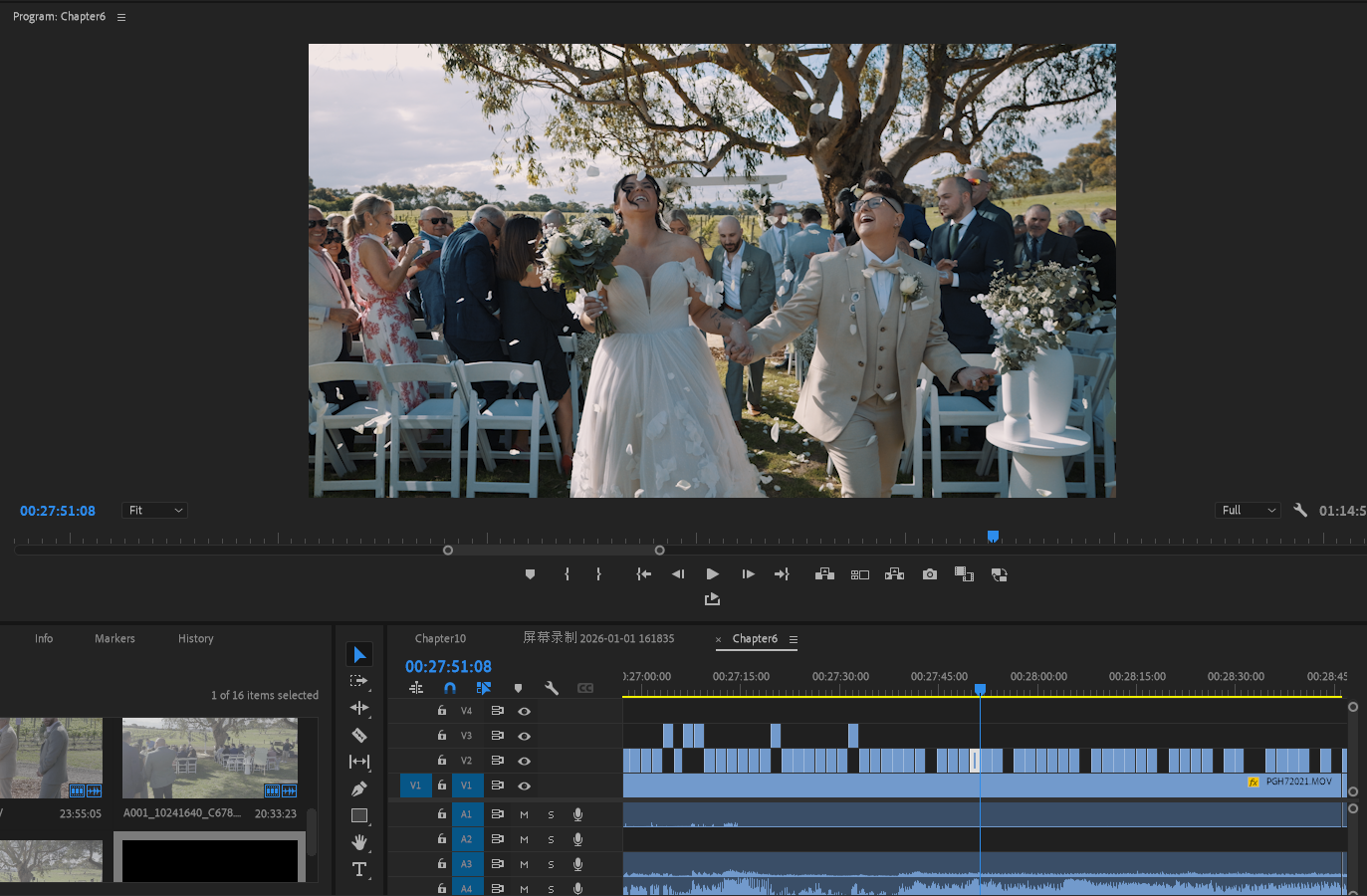
A wedding multicamera edit open in Adobe Premiere Pro

KEEP YOUR EDITING SOFTWARE

A major head start, not a finished film.

VideoBot exports FCPXML timelines for Adobe Premiere Pro and DaVinci Resolve. You remain in charge of the story, music, pacing, colour, sound and final creative decisions.

  • Windows 64-bit
  • macOS Apple Silicon
  • macOS Intel
  • Local, external & NAS storage
Get the free beta